How it works
Plug in. Talk. Done.
Four steps, and three of them happen in about a second.
- 1
Plug it in
The built-in USB-C connector goes straight into your phone. Lightning iPhone? Use the cable in the box.
- 2
It connects
Automatically. Your phone powers it, so there is no battery and no Bluetooth to pair.
- 3
Open the app
Pick your languages in the PlumCat app and choose a mode.
- 4
Talk
Hold to talk, release to translate. Look at the person, not the screen.
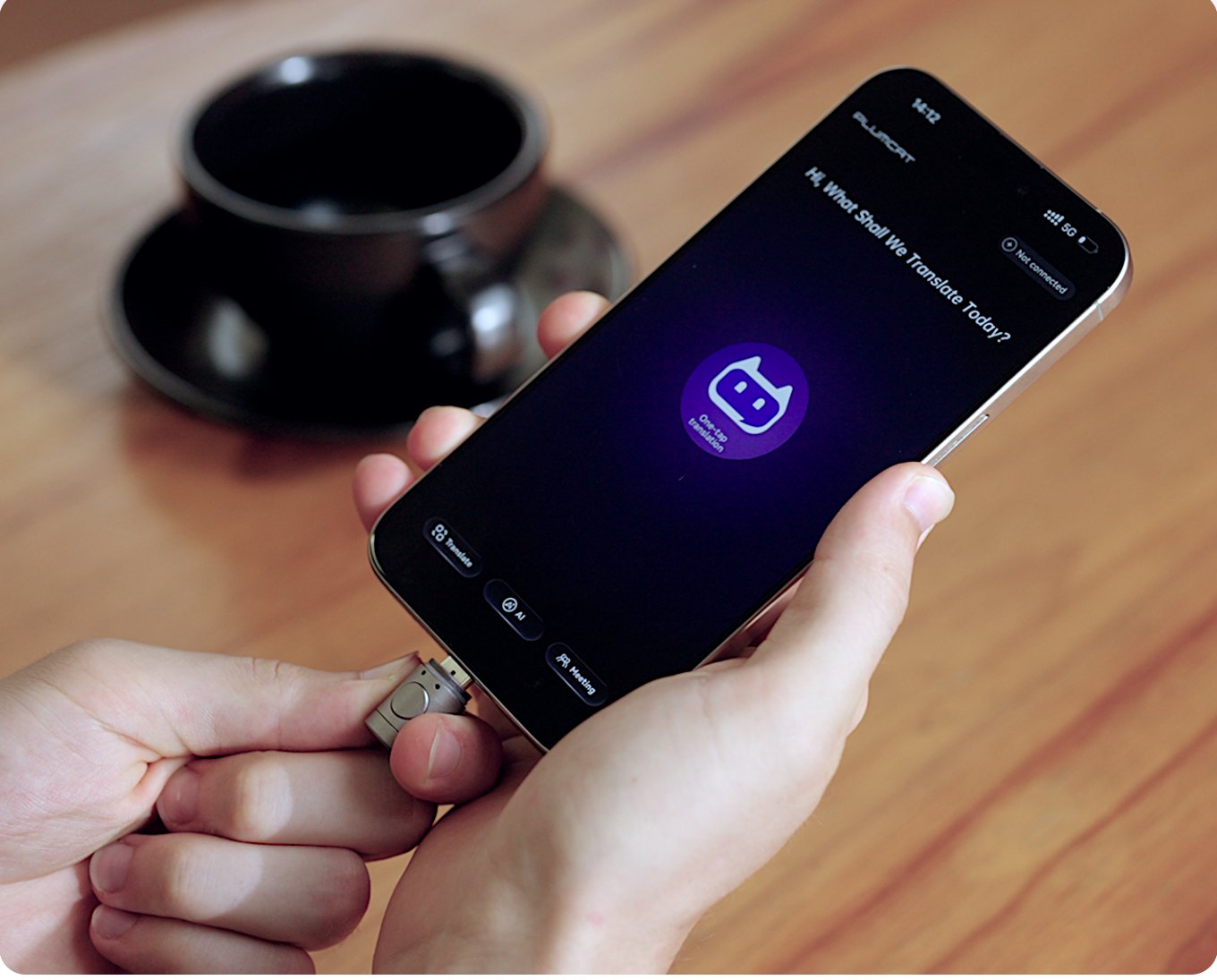
The honest bit
PlumCat plugs into your phone and your phone powers it, so it needs your phone and the PlumCat app. Online languages and AI features need internet. The 30 offline languages work without signal.
Modes
One capsule, a mode for every situation.
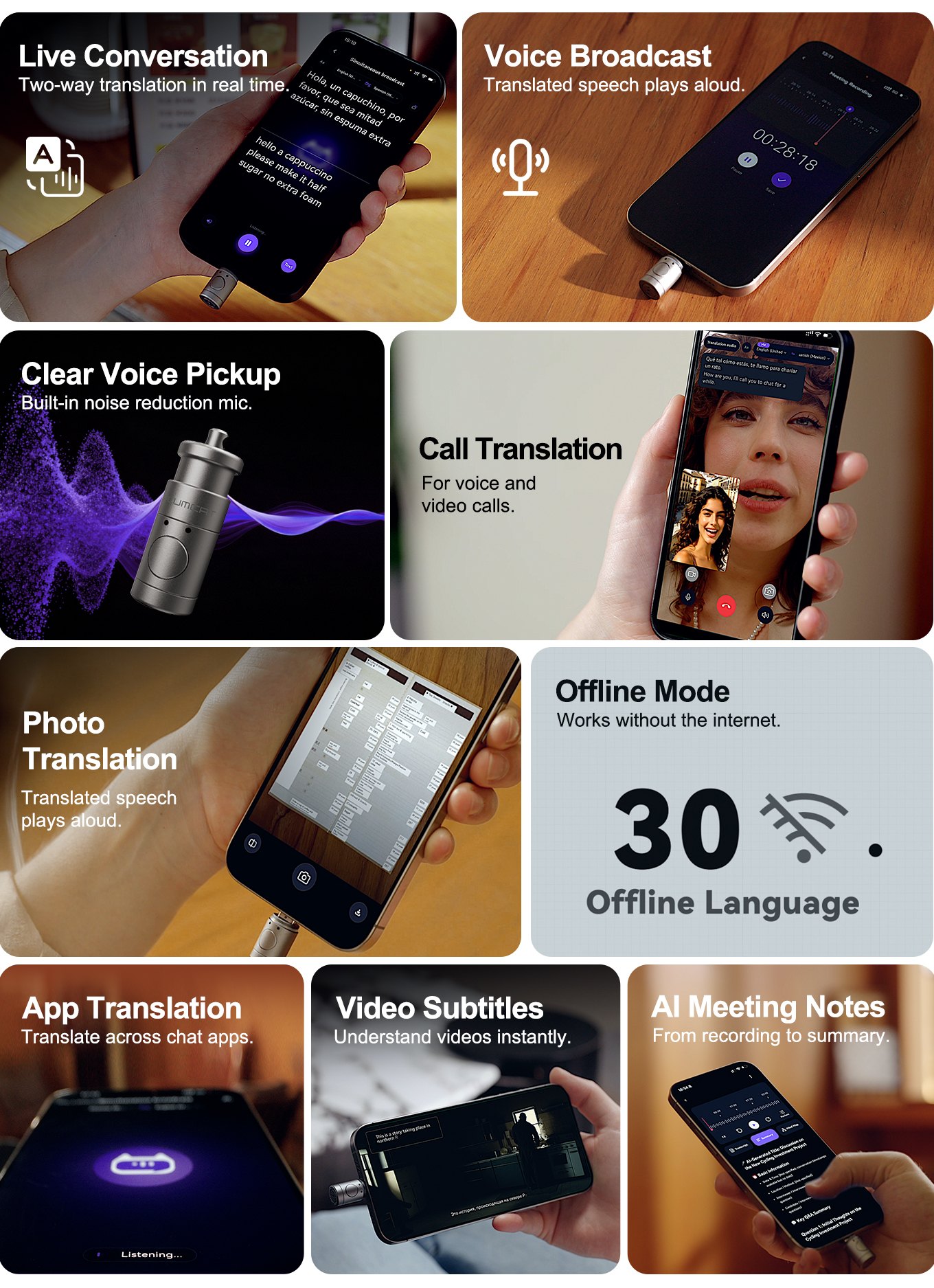
Conversation
Hold to talk, release to translate. Best for short face-to-face chats.
Simultaneous broadcast
Speak, it translates and plays the translation aloud. Hands-free.
Simultaneous interpretation
Streaming, dual views, switchable direction. For meetings and negotiations.
Call translation
Real-time translation for voice and video calls.
Cross-app
Translate inside any chat app's input box. No copy and paste.
Photo
Menus, signs and documents, with dual-screen comparison.
Movie translation
A floating window with real-time subtitles for streams, videos, lectures and radio.
Offline
30 languages that work without signal.
Deep noise reduction
An independent mic built with DNN voice extraction and computational auditory scene analysis.
- Markets and restaurants
- Lounges and exhibitions
- Outdoors
Precise translation
Ten ways to translate, from a quick question to a full negotiation.
- Conversation and one-tap
- Photo, call and cross-app
- Simultaneous broadcast and interpretation
Efficient meetings
Record, mark the moment, find it again. A6 adds the AI layer.
- Meeting recording
- Key-point marking
- A6: transcription, AI summary, mind map
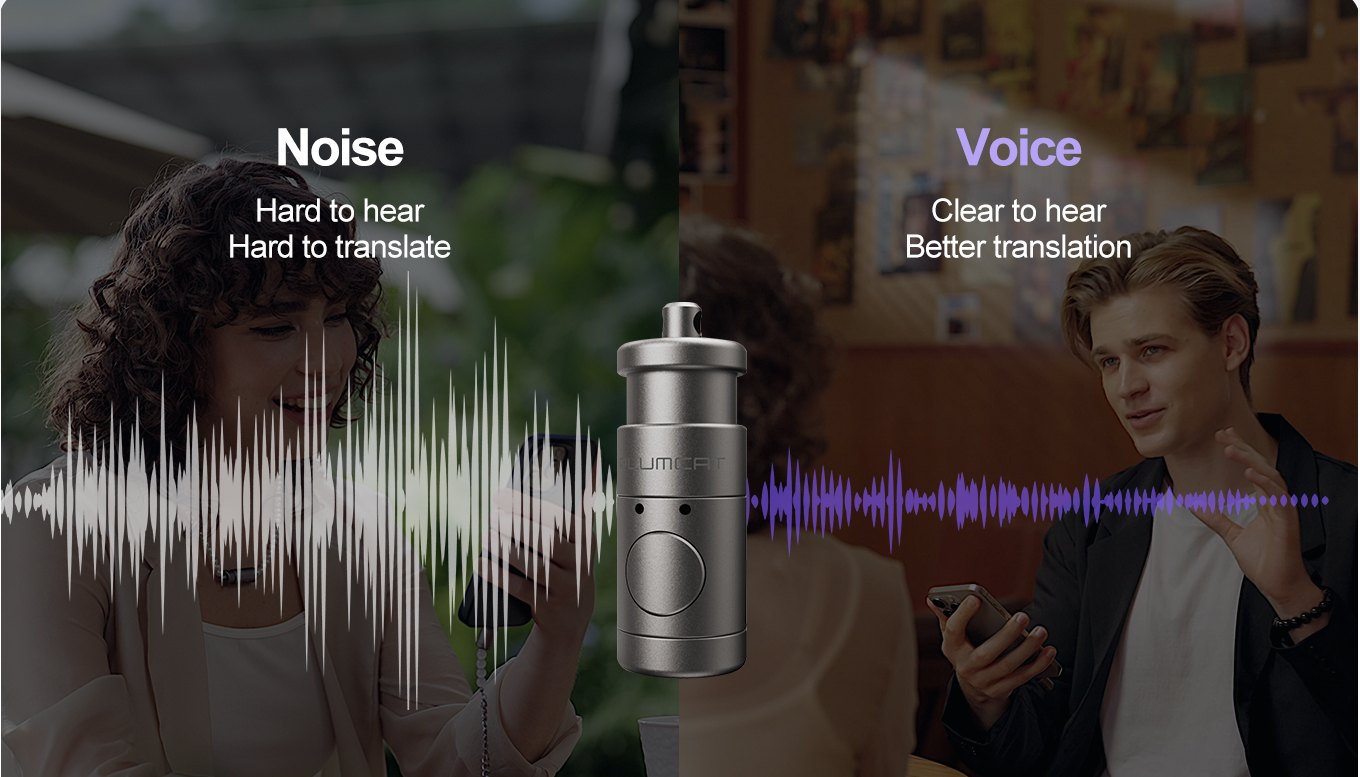
The app
One app for every translation moment.
Conversation, calls, photos, videos and documents, all from the PlumCat app. Pick your languages, choose a mode, talk.
Document translation and meeting notes with AI summary are on the A6.
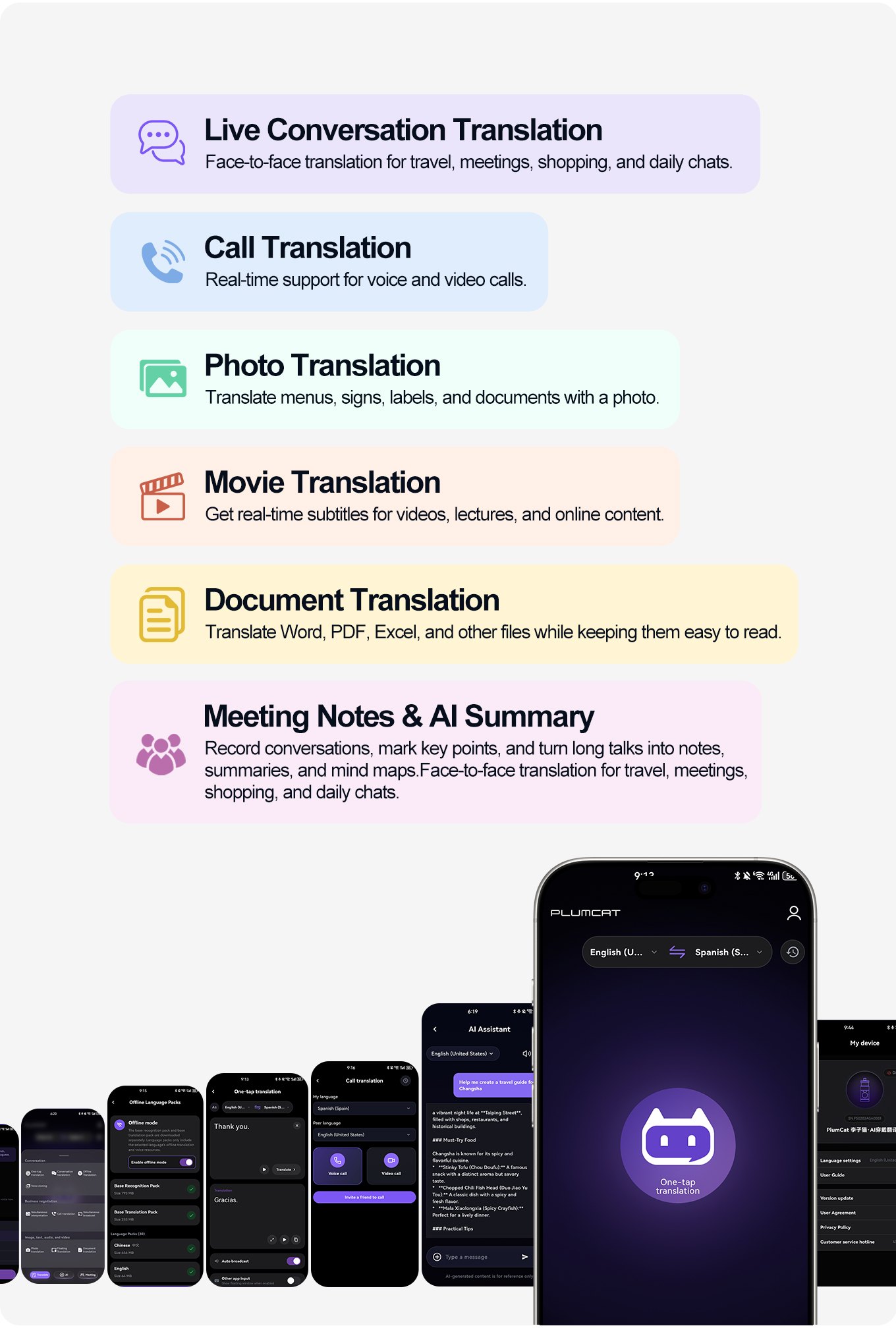
The mic
Built for loud places.
An independent noise-cancelling mic, built with DNN single-mic voice extraction and computational auditory scene analysis. It is designed to filter background noise and pick up clear speech in markets, lounges, outdoors, exhibitions and restaurants, with 4 m pickup.
Design
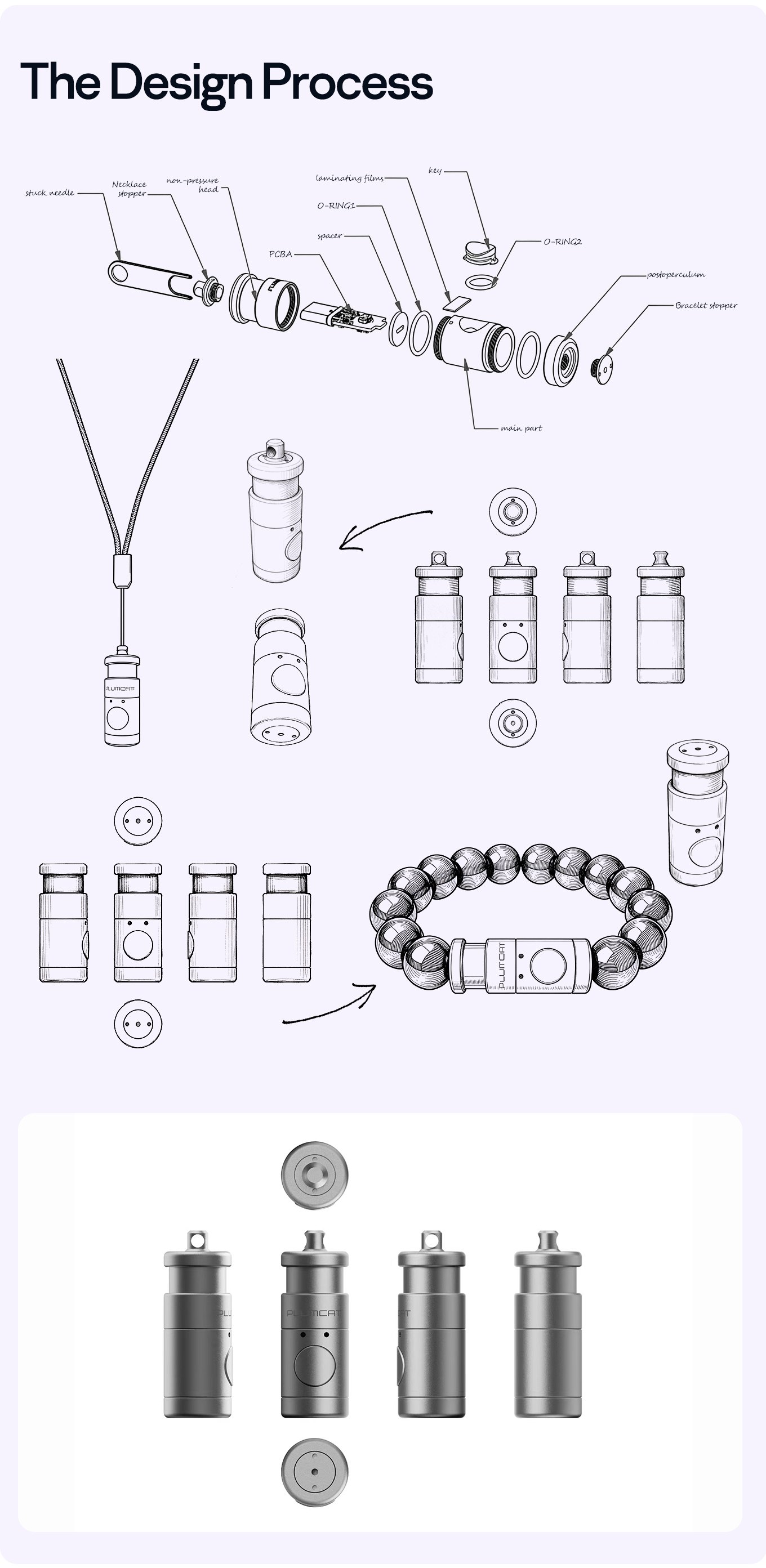
From sketch to capsule.
One small aluminium-alloy capsule, drawn part by part, then shaped to wear as a pendant, a bracelet or clipped on. The connector sits in the capsule, so it plugs straight into your phone.
A6
Record it. Mark it. Read it later.
Press the button while recording to mark the last 10 seconds. The A6 turns the recording into text, with marked passages in purple, then pulls out key points, to-dos and a mind map.* It also translates Word, PDF and Excel files and keeps the formatting.
*Transcription, AI summary and mind map include 300 minutes per month each.
See the A6Problem → feature
What it's for.
Can't find the words
Ordering, asking, apologising
Conversation and one-tap translation
Can't recall what was said
The address, the price, the plan
Meeting recording and key-point marking
Can't hear clearly
Scooters, music, a crowded stall
Independent noise-cancelling mic, 4 m pickup
Can't keep up with a group
Tours, meetings, negotiations
Simultaneous broadcast and interpretation
Have questions
About a report, a document, a plan
AI assistant (A6)
Can't understand it
Menus, signs, a film with no subtitles
Photo and movie translation
No signal on a hike or a boat
Or a basement, or a border
Offline translation, 30 languages
Need to make a call
The landlord, a tour office, the bike shop
Call translation
Need it everywhere
Chat apps, video, work
Cross-app translation, five ways to wear
Translation
11 featuresConversation translation
Hold to talk, release to translate.
One-tap translation
One tap and go.
Cross-app translation
Inside any chat app.
Photo translation
Menus, signs, documents.
Call translation
Voice and video calls.
Offline translation
30 languages, no signal.
Simultaneous broadcast
Speak. It plays aloud.
Simultaneous interpretation
For meetings and negotiations.
Voice cloning
Your voice, another language.
Movie translation
Live subtitles in a floating window.
Document translation
Word, PDF, Excel and more.
A6
Meeting and AI
6 featuresMeeting recording
Record the whole thing.
Key-point marking
Mark the last 10 seconds.
Recording-to-text transcription*
Marked passages show in purple.
A6AI summary*
Key points and to-dos.
A6Mind map*
One tap, structured map.
A6AI assistant
Picks the right model for you.
A6
*Transcription, AI summary and mind map include 300 minutes per month each.
Not a substitute for a professional interpreter. Don't rely on it in medical, legal or emergency situations.